> For the complete documentation index, see [llms.txt](https://developers.bloomcredit.io/llms.txt). Markdown versions of documentation pages are available by appending `.md` to page URLs; this page is available as [Markdown](https://developers.bloomcredit.io/docs/v2.1/core-concepts/consumers.md).
# Consumers
## Overview
The Consumer API allows you to manage account data, including creating, reading, updating, and deleting records for a specific consumer belonging to an organization. The Consumer Service is core to the Bloom Platform and is used across other features such as Data Access, MLA, and Furnishing.
***
## Endpoints / Models
### Consumer
A consumer represents a single, unique, real-world human being.
Consumers can be affiliated with multiple organizations within Bloom, but no effort will be made to have a single canonical consumer that spans organizations. In other words, there may be one representation of John Doe for Organization A, and another separate representation of John Doe for Organization B.
### Consumer Attributes
Consumers have multiple categories of attributes associated with them: **Core**, **Name**, **Email Addresses**, **Addresses**, **Phone Numbers**
The consumer object has each set of fields nested under it. Each category and it's set of fields are outlined below.
#### Core
The **Core** fields are the top-level fields of the consumer object, and they are the following:
| Field | Description | Example | Required? |
| --------------- | -------------------------------------------------------------------------- | --------------- | -------------------------------------------- |
| `ssn` | Social Security Number of the consumer, see section below for more details | `123-45-6789` | Required only if `date_of_birth` not present |
| `date_of_birth` | Date of birth for the consumer in the format of `yyyy-MM-dd` or `yyyyMMdd` | `1990-01-20` | Required only if `ssn` not present |
| `income` | Income of the consumer as a numeric whole number. | `100000` | ❌ |
| `ip_address` | A known IP address of the consumer, in either IPv4 or IPv6 format. | `192.168.5.255` | ❌ |
**Social Security Numbers**
Social security numbers provided to the API must have 9 digits and only use either a space ( ) or hyphen/dash (`-`) as a delimiter for each part.
**Valid examples of a Social Security Number accepted are:**
* `123-45-6789`
* `123 45 6789`
* `123456789`
{% hint style="warning" %}
**Invalid SSNs**
SSN with the first group of three digits (area group) between the range of `900`-`999` are considered invalid as described in [SSA's documentation of SSN Randomization](https://www.ssa.gov/employer/randomization.html).
{% endhint %}
**Partial Social Security Numbers**
Partial SSN can be provided by zero filling the first 3 digits, the first 5 digits, or the last 4 digits.\
**Valid examples of partial SSNs that can be provided are:**
* `000-45-6789`
* `123-00-6789`
* `123-45-0000`
* `000-00-6789`
#### Name
The **Name** (`name`) nested object within the consumer contains the following set of fields, with their respective descriptions:
| Field | Description | Example | Required? |
| ------------- | --------------------------- | ------- | --------- |
| `first_name` | First name of the consumer | John | ✅ |
| `middle_name` | Middle name of the consumer | Henry | ❌ |
| `last_name` | Last name of the consumer | Smith | ✅ |
**Normalization Rules**
The following rules are applied to all fields of the **Named** object:
1. Letters are uppercased (ie. `john` -> `JOHN`)
2. Diacritics are stripped (ie. `José` -> `Jose`)
3. Non-Letter characters are replaced with spaces
{% hint style="info" %}
**Character Sets**
All consumer name fields accept characters in the following character sets:
* [Basic Latin](https://www.unicodepedia.com/groups/basic-latin/)
* [Latin-1 Supplement](https://www.unicodepedia.com/groups/latin-1-supplement/)
* [Latin Extended-A](https://www.unicodepedia.com/groups/latin-extended-a/)
{% endhint %}
#### Emails
The **Emails** (`emails`) field contains an array of email addresses that the consumer has. Each object in the array has the following set of fields:
| Field | Description | Example | Required? |
| --------------- | ------------------------------------------------------------- | ---------------------- | --------- |
| `email_address` | The full email address string of the consumer | `john.doe@example.com` | ✅ |
| `type` | Type of email ( `personal` or `work` ) | `personal` | ✅ |
| `primary` | Indicator for primary email of consumer ( `true` or `false` ) | `true` | ✅ |
{% hint style="info" %}
**Format & Character Sets**
The email address field supports the format described by the [IEFT RFC 5322 standard](https://datatracker.ietf.org/doc/html/rfc5322#section-3.4).
In short, a valid email address consists of a local and domain section, separated by an `@` character.
{% endhint %}
#### Addresses
The **Addresses** (`addresses`) field contains an array of addresses that the consumer is associated with. Each object in the array has the following set of fields:
| Field | Description | Example | Required? |
| ------------ | --------------------------------------------------------------- | ------------ | --------- |
| `line1` | Address basic line info | `123 Street` | ✅ |
| `line2` | Address complementary info | `Apt 1` | ❌ |
| `city` | Postal city | `Boston` | ✅ |
| `state_code` | Postal state code | `MA` | ✅ |
| `zipcode` | Postal zip code | `12345` | ✅ |
| `type` | Type of address ( `personal` or `work` ) | `personal` | ❌ |
| `primary` | Indicator for primary address of consumer ( `true` or `false` ) | `true` | ✅ |
{% hint style="info" %}
**Character Sets**
All consumer address fields accept the characters from:
* [Basic Latin](https://www.unicodepedia.com/groups/basic-latin/)
* [Latin General Punctuation Block](https://unicodeplus.com/block/2000)
{% endhint %}
{% hint style="warning" %}
**Invalid Symbols**
Below are a list of symbols that are not accepted for addresses:
* ! @ $ % & \* < > ? | } { accept \ ^ ( ) = + ; : " ÷
* Leading spaces
{% endhint %}
#### Phones
The **Phones** (`phones`) field contains an array of phone numbers that the consumer has access to. Each object in the array has the following set of fields:
| Field | Description | Example | Required? |
| -------------- | --------------------------------------------------------------- | ------------------- | --------- |
| `phone_number` | Phone number of the consumer | `+1 (123) 456-7890` | ✅ |
| `type` | Type of contact ( `home` , `personal` , or `work` ) | `work` | ✅ |
| `primary` | Indicator for primary contact of consumer ( `true` or `false` ) | `true` | ✅ |
Valid phone numbers must adhere to the [NANP](https://cnac.ca/npa_codes/na_numbering_plan.htm#:~:text=NANP%20numbers%20are%20ten%20digits,central%20office%20code%20or%20prefix.) structure in 10-digit notation.
* May be prefixed with country code
* Note that only US phone numbers are accepted, as is by US credit bureaus (country codes other than +1 or 1 are rejected)
* Phone number may have the area code (first 3 digits) parenthesized.
Some possible variations of this format are outlined below:
* `1234567890`
* `123-456-7890`
* `123 456 7890`
* `(123) 456 7890`
* `(123) 456-7890`
* `(123)456-7890`
* `123.456.7890`
* `123 456-7890`
* `+1123 456-7890`
* `1123 456-7890`
* `+1(123) 456-7890`
**Normalization Rules**
The following rules are applied to the `phone_number` fields of the **Phones** object:
1. Country code is stripped (ie. `1 123 456-7890` -> `123 456-7890`)
2. Non-numeric characters are stripped (ie. `123 456-7890` -> `1234567890`)
## Diagram
***
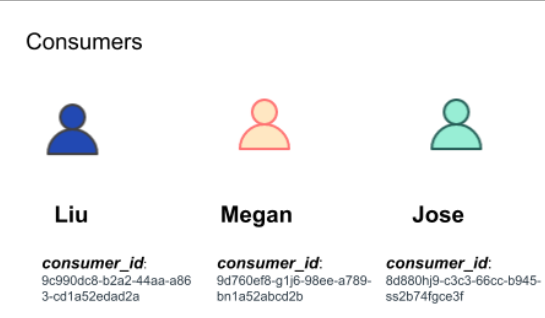
Examples of consumers in the Consumer API
{% hint style="info" %}
**To start using the Consumer Hub, you must create a consumer.**
To get information on how to create a consumer user Consumer Hub please refer to [Create or update Consumer](/reference/v2.1/core/consumers/creates-a-consumer.md) section of the **API Reference** tab.
{% endhint %}
Once you have created a consumer, you can manage their personal identification information.
***
## Credit Bureaus and Reporting
When accessing historical consumer credit information, the major bureaus perform a “fuzzy match” based on the information that has been submitted.
The bureaus report the following success rate in identifying the correct matching credit record based on being provided with the following information:
* 83% Name + Address
* 90% Name + Address + DOB
* 82% Name + Address + Last 4 SSN
* 91% Name + Address + DOB + Last 4 SSN
* 93% Name + Address + Full SSN
* 93% Name + Address + DOB + Full SSN
Because of the above, credit bureaus will search for a matching consumer record in their repositories based on any combination of two or more of the above.
---
# Agent Instructions
This documentation is published with GitBook. GitBook is the documentation platform designed so that both humans and AI agents can read, navigate, and reason over technical content effectively. Learn more at gitbook.com.
## Querying This Documentation
If you need additional information that is not directly available in this page, you can query the documentation by asking a question.
Perform an HTTP GET request on the following URL with the `ask` and `goal` query parameters:
```
GET https://developers.bloomcredit.io/docs/v2.1/core-concepts/consumers.md?ask=&goal=
```
`ask` is the immediate question: it should be specific, self-contained, and written in natural language.
`goal` is what the user is ultimately trying to achieve, the reason they need the answer. Sharing it helps GitBook give you a better, more relevant answer. A goal is most helpful when it describes the outcome the user wants rather than restating the question. For example, with `ask=how do I create an API token`, a goal like `automate deployments from our CI pipeline` lets GitBook tailor the answer to that use case.
The response will contain a direct answer to the question and relevant excerpts and sources from the documentation.
Use this mechanism when the answer is not explicitly present in the current page, you need clarification or additional context, or you want to retrieve related documentation sections.